
Documentation
In any case if you Booker Connection to Pandaflow has expired you will need to reconnect your Booker account in Pandaflow.
[During the setup, you would have created a new Admin user in Booker. You will need to re-connect the connection with that Username]
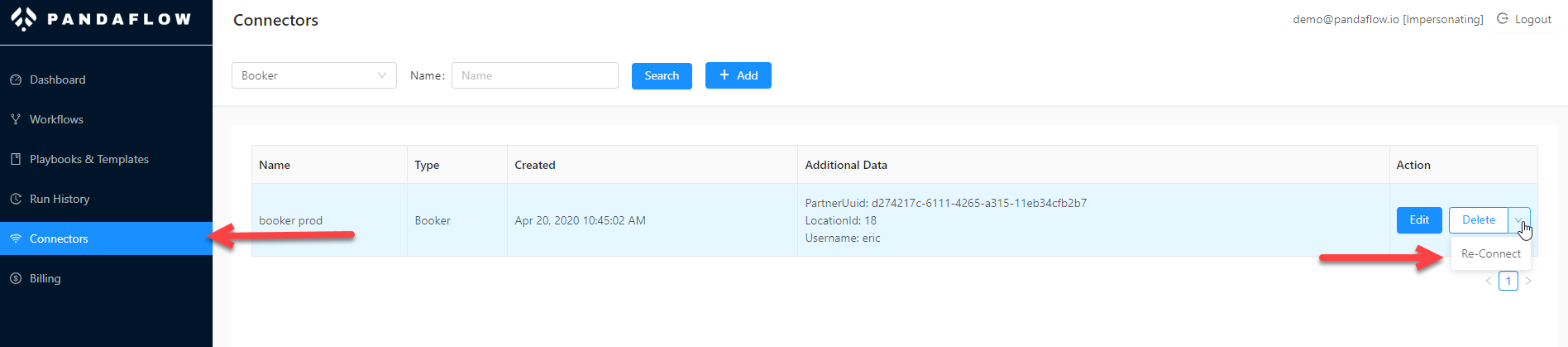
Once it is reconnected, your workflow should start working.